
Rename files and folders with speed, clarity, and control.
Exact File Renamer is a Windows desktop batch renaming tool built around a preview-first workflow. Rename confidently with templates, Find & Replace, regex tools, extension changes, conflict handling, export, and undo history.
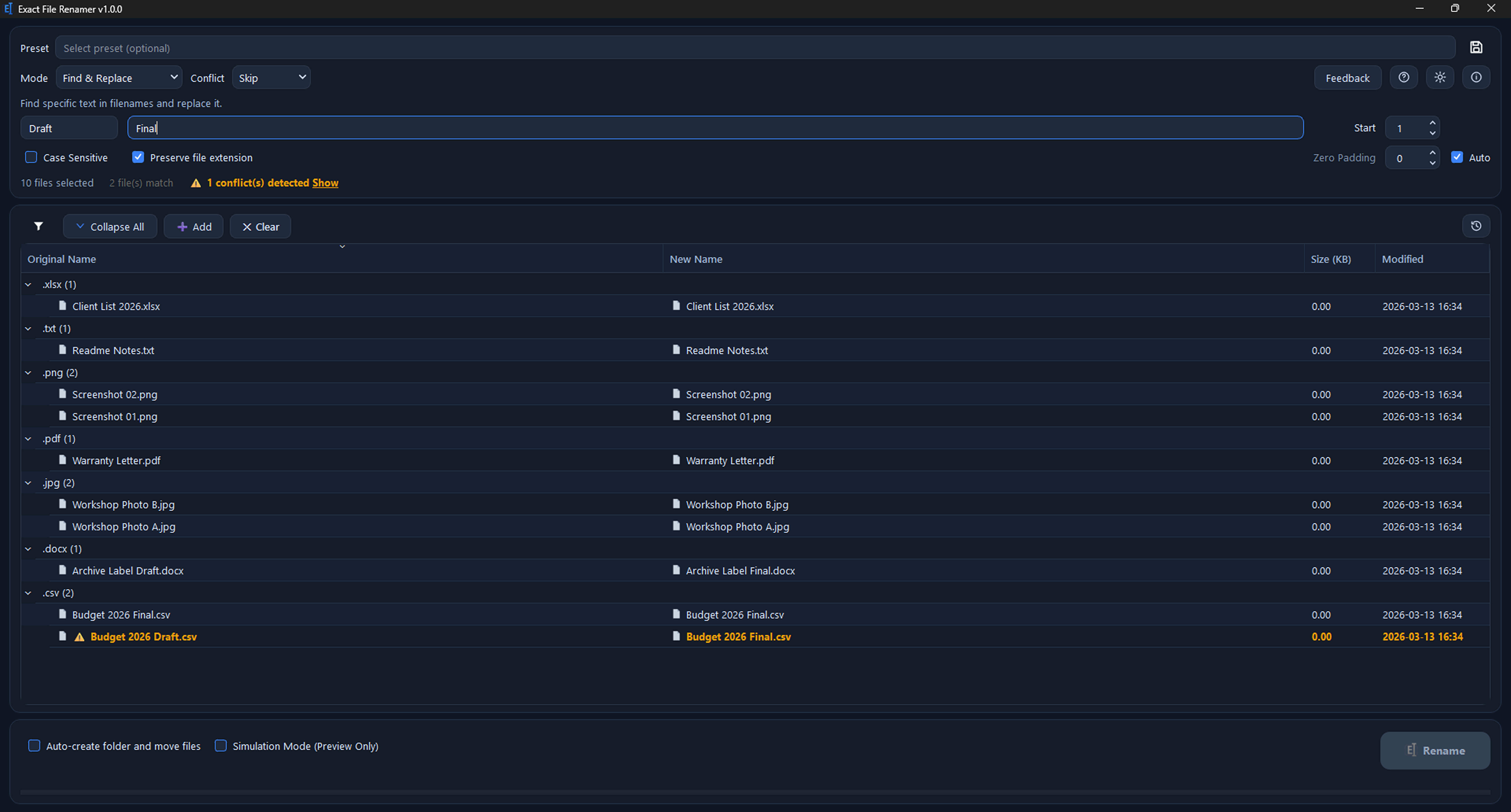
Built for clean, controlled batch renaming
Exact File Renamer is designed to make bulk renaming faster, safer, and easier to review before anything is changed.
Product visuals
Click any screenshot to view it larger. The gallery shows the real app interface and key rename workflows.
Send feedback or review privacy details
Share a bug report, request an improvement, or send general feedback about Exact File Renamer. Product and publisher privacy pages are linked here as well.
Send feedback
Use the dedicated feedback page to share bug reports, feature ideas, or general product feedback for Exact File Renamer.
Questions about the app
What is Exact File Renamer?
It is a Windows desktop app for batch renaming files and folders with a live preview before changes are applied.
Who is it for?
It is useful for photos, documents, downloads, project files, and other structured rename jobs where you want speed without losing control.
Does it support advanced renaming?
Yes. It includes simple templates, Find & Replace, advanced regular expressions, extension changes, conflict handling, and undo/history.
Can I review changes before applying them?
Yes. The core workflow is built around previewing the result first and then applying the rename when it looks correct.